¶ Introduction
Thank you for purchasing the eNView environmental monitoring station. The eNView forms a unique combination of a state-of-the-art sound level meter, vibration level meter, and external sensor logging. The wide range of functionalities are tailored for:
- Noise Measurement
- Unattended Noise Monitoring
- Environmental Noise
- Occupational Health
- Live Sound
- Sound level monitoring
- Front of House
- Condition Monitoring
- Vibration Monitoring
¶ Product Configuration
The following items are included with the respective models:
| Spec | Included Items |
|---|---|
| eNView | eNView Monitoring Station, Operating Manual / Quick Start Guide, 1.5m USB-C to USB-C cable, Wall Mounting Bracket |
| eNView + Noise Bundle | eNView Monitoring Station, Operating Manual / Quick Start Guide, 1.5m USB-C to USB-C cable, Wall Mounting Bracket, EA01 ½” Measurement Microphone consisting of: Microphone Preamplifier PNP21, Microphone Capsule PMP21, Outdoor protection Shroud, 1.5m BNC to LEMO cable |
| eNView + Vibration Bundle | eNView Monitoring Station, Operating Manual / Quick Start Guide, 1.5m USB-C to USB-C cable, Wall Mounting Bracket, High Sensitivity tri-axial accelerometer, 1.5m accelerometer cable, Vibration ground base plate |
¶ Overview
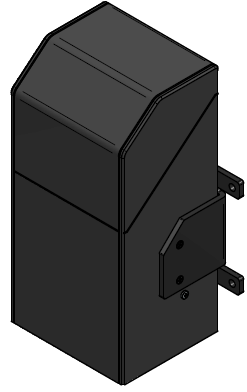
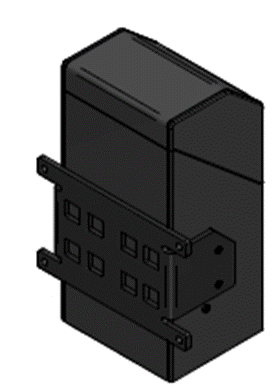
¶ Inputs
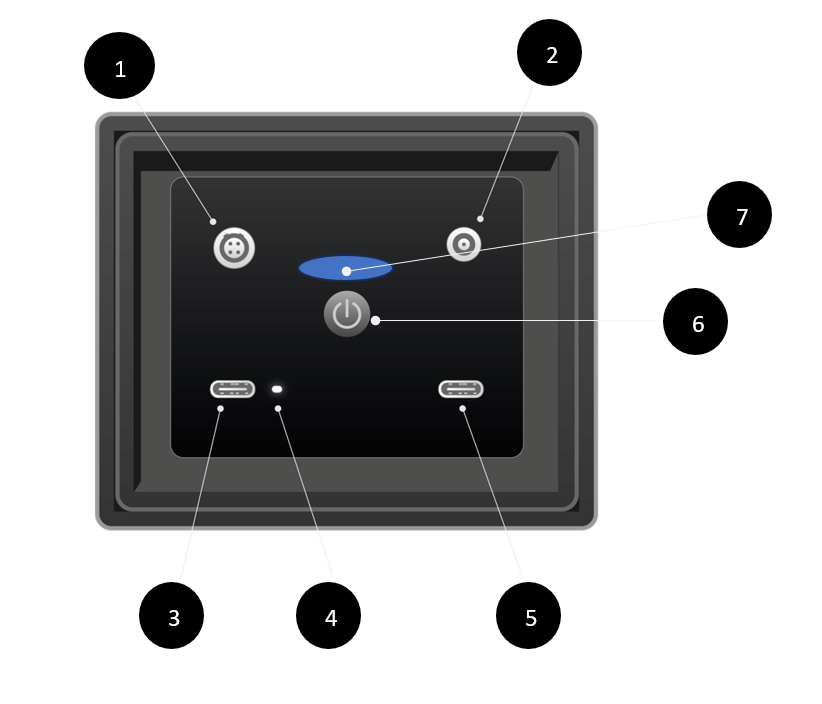
- Vibration Sensor Input
- Noise Sensor Input
- USB Auxiliary Device Input
- Power Charging Indicator LED (revision moved next to position 5)
- USB Power Input
- Power Button
- Device Status Indicator LED
¶ Indication LEDs
The eNView features two indication LEDs, one to signal to the user the charging status of the device, and one to indicate the measurement and connectivity.
¶ Charging LED Indicator
- Device Charging: When charging, the LED will pulse slowly every 1 second.

- Fully Charged: When fully charged, the LED will be solid.

- Error State: If in an error state, the LED will pulse quickly every 0.3 seconds.
¶ Device Indication LED
The device indication LED allows the user to know whether the device is powered on, measuring, and connected to the cloud.
- Powered On: LED will be solid blue.
- Measurement Running: LED will periodically blink magenta.

- Connected to Cloud: LED will periodically blink cyan.

- Error State: LED will be red; the device needs to be sent back to the manufacturer for repair.

¶ Getting Started
¶ Power Supply
The eNView offers flexible power management options with mains power supply requirements being from USB type C with Power delivery 2.0.
The device can also run on its own internal Lithium-ion battery for when main power is not applicable. The new battery will be supplied 50% charged and should be fully charged prior to use.
The following combinations of charging can be used:
| Method | Charge Time (approx.) powered off |
|---|---|
| USB PD 2.0 @20v 3.0A | 2.7h |
| USB PD 2.0 @15v 3.0A | 3h |
| USB PD 2.0 @9v 2A | 5h |
| USB power from standard USB 5V port or from USB power supplied by PC | Battery cannot charge using 5v USB. Device can power on for data transfer. |
Switching off the device will increase the charging speed, expect the charge time to double when device is running.
Caution!!
- Do not attempt to remove the internal battery, always consult the manufacturer for repairs.
- Operate the battery between -4C and 60C.
- Do not heat the battery above 70C.
- Do not place the battery in or near fire.
- Do not attempt to solder directly to the battery or internal connectors.
- Do not disassemble the battery.
- Always consult with the manufacturer before carrying out any repairs.
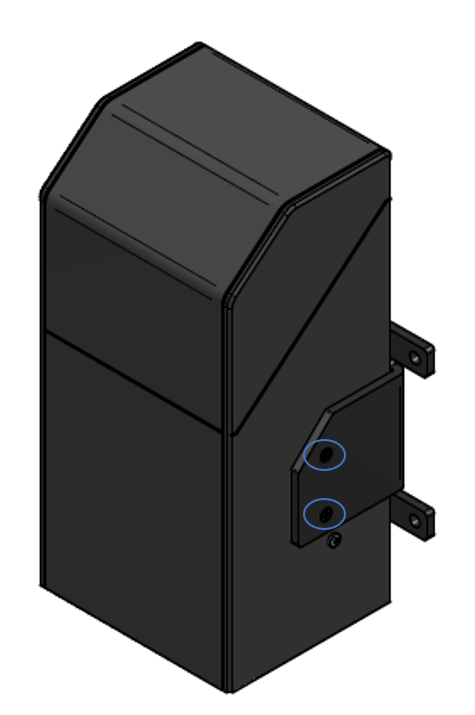
¶ Mounting Bracket
¶ Connecting Inputs
The eNView device accepts 1 noise and 1 tri-axial accelerometer input, and USB type external sensors.
Note: LEMO are a robust connection that use a push/pull system. Once the latch is made, the connection won't release by twisting or pulling any component, other than the outer release sleeve. The connection can only be disengaged by pulling on the outer release sleeve, which allows the user to disengage the latch and withdraw the plug.
¶ Microphone
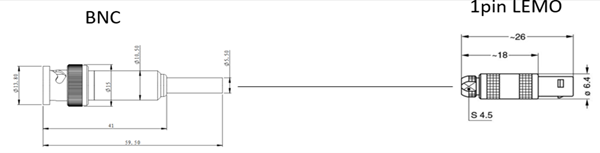
To connect the microphone, connect the LEMO end of the cable to the microphone input on the bottom of the eNView unit and the BNC end to the microphone.
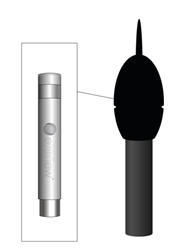
The microphone can be enclosed within the outdoor shroud to provide further protection.
¶ Accelerometer
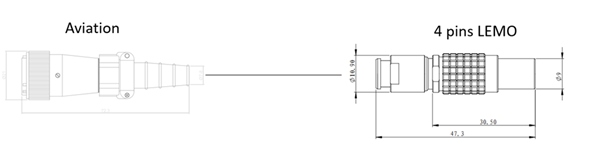
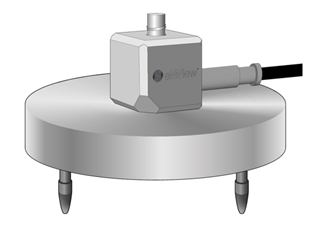
To connect the accelerometer, connect the LEMO end of the cable to the accelerometer input on the bottom of the eNView unit and the aviation end to the microphone.
¶ External USB
The eNView device can accept external USB 2.0 speed devices as a form of expandability, at the time of this manual there are no compatible devices.
¶ Powering On and Off Device
¶ Powering on device
Press the power button for at least 1 second to power on the device. The blue identification LED will blink. When the LED stays solid blue the device is powered on.
¶ Powering off device
Press and hold the power button, when the indication LED starts blinking blue release the button and wait for the LED to power off.
¶ Force Power off device
If the device is not responding to the power off command, in the rare occasion you may hold the power button for longer than 10 seconds. The LED will start blinking but may have the incorrect colour, this is to be expected. Hold the power button down until the LED powers off.
It is not advised to carry out this method of powering off unless there is a crucial fault, this method could result in corrupt data or the device may not be able to power on again. If the device will not power on, please return to the manufacturer.
¶ Accessing onboard web portal
To configure the device in the field, there is an onboard webapp running. Here you can configure the integration time, view live data feed, monitor storage levels, check battery level, set up external USB device.
The eNView will host an access point named EnviewAP- 'serial number' which you can connect to using a mobile phone, tablet or computer. To activate the access point, double press the power button in quick succession. The LED will blink Green.

To switch off the access point, double press the power button and the indication LED will resume its normal signalling pattern.
To access the onboard web portal, when connected to the access point, open a web browser and go to the following address:
https://enviewmonitor.net
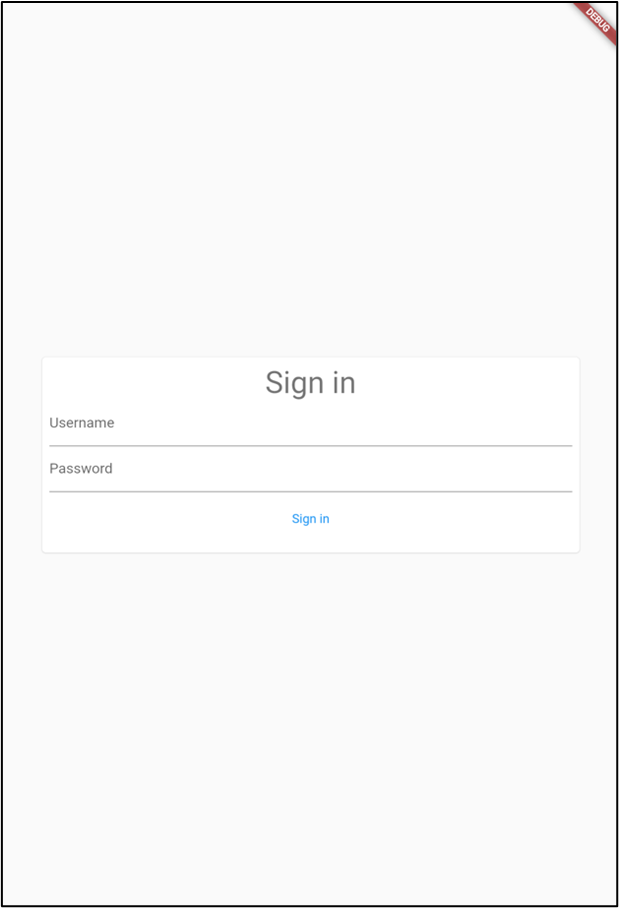
You should be greeted with the login page; the credentials are provided on a separate card included with the device.
¶ Starting Measurements
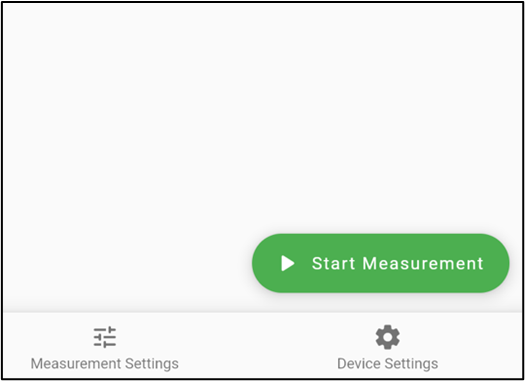
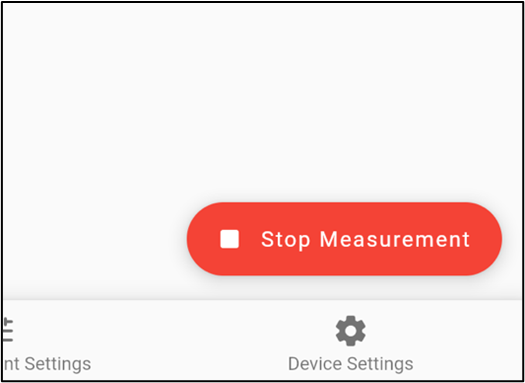
Measurements should start automatically as a default feature of the device. You can manually stop the measurement of the device from within the eNView onboard web portal, you must remember to restart the measurement if you do decide to use this feature. There is no automatic way for the measurement to start if the last state was stopped.
¶ Calibration
Noise and vibration can be calibrated to ensure that the unit is measuring the levels correctly.
¶ Noise
Noise is calibrated by utilising a microphone calibrator with 94dB level. Within the web portal, go to:
Settings -> Calibrate Noise
Press run, the calibration process lasts for 30 seconds. When finished a dialog box will appear to let the user know the calibration value.
Check with the live data that the measured value is 94dB.
¶ Vibration
Vibration calibration is carried out using manufacturer provided sensitivity levels.
Go to:
Settings -> Calibrate Vibration
Fill out the sensitivity form and press save.
You can check that the levels are expected in the live view.
¶ Configuring Measurement
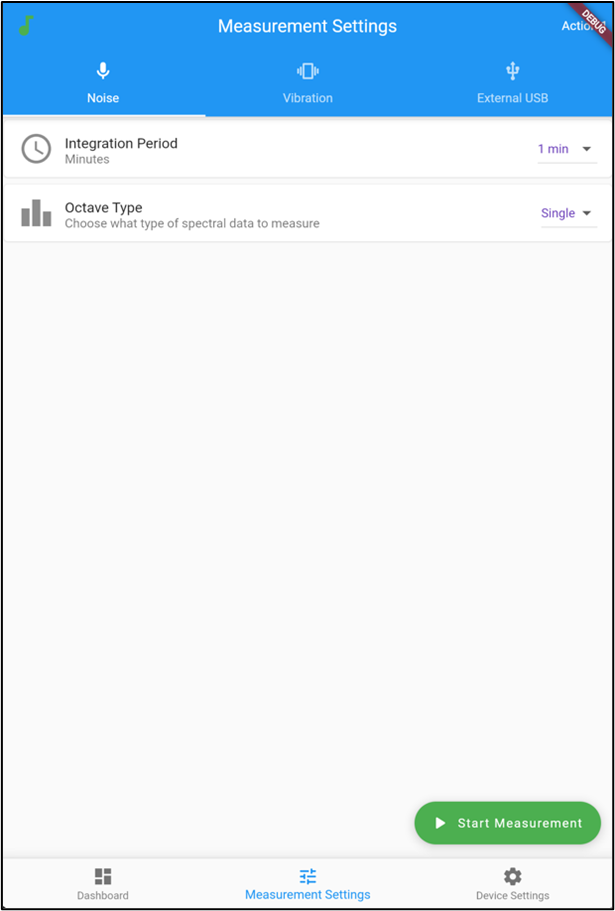
Measurement configuration is carried out within the web portal, you can select the spectral analysis type (third octave or single octave) and set the integration period.
¶ Inserting SIM Card
ENView features a 4G LTE modem, this requires a SIM card for cellular connectivity. The socket for inserting the SIM card is within the enclosure of the device. Remove the 2 raised star drive screws on the side of the unit to reveal the main internals. At the top left cut-out, there is a slot for a SIM card and SD card. Ensure that the device is powered off prior to inserting SIM card.
The accepted SIM card size is nano. This is commonly found in most cell phones.
¶ Technical Information
¶ Data Storage
The eNView features 2 types of non-volatile storage, these are the internal device storage and SD card-based storage.
All settings and parameters are stored within the internal device storage, these cannot be accessed by a user and can only be accessed by the manufacturer. If corruption of these files occurs the device will shut down and will require servicing by the manufacturer.
Telemetry is stored on SD card storage; this is to increase the longevity of the internal device storage. The eNView can only support a maximum SD capacity of 32GB, this is because of the internal electronics. SDHC cards are supported.
The manufacturer recommends SanDisk industrial 32GB SDHC card.
When installing a new SD card, this must be formatted to MSDOS FAT32. The internal file structure of the SD card is defined and allocated by the device, if the SD card is removed from the device and contents modified in a PC this could result in the device entering an error state. All telemetry files stored on the SD are signed and feature the extension “.kpdat”.
The files can be removed from the SD card and viewed within the eNView desktop app.
The SD card will not run out of storage as there is a rollover system in place which will remove all files which are 60 days or older.
¶ Additional Information
¶ Vibration Meter
- Standards: ISO 8041:2005, ISO 20816-1, DIN 4150-3, BS 7385-2
- Filters: HP1, Vel3
- Octave Bands: 1/1, 1/3 real-time analysis
- Detector: 125ms
- Frequency Range: 0.5Hz – 500 Hz
¶ Noise Meter
- Standards: Class 1 in accordance with IEC 61672-1:2013
- Weighting Filters: A, C, Z
- Octave Bands: 1/1, 1/3 real-time analysis
- Sound Pressure Levels: SEL, SPL, Lpeak, Leq, Lmax
- Statistical levels: L1, L10, L50, L90, L99
- Dynamic Range: 129 dB
- Frequency Range: 20 Hz – 20 kHz
¶ General Information
- Storage (SD card): Up to 32GB
- IO:
- 1 x USB Type C - Host @USB 2.0 speed
- 1 x USB Type C - Client @USB 2.0 speed
- 1 x LEMO4-pin (accelerometer)
- 1 x LEMO1-pin (microphone)
- Power Supply:
- 65W USB type C Mains Power adaptor (sold Separately)
- 35Ah Internal Li-on battery pack
- 65W USB type C 5-30V DC Power adaptor (sold Separately)
- Power requirement: USB PD 2.0
- Display: RGB status LED
- Weight: 1.25 Kg
The device features IEEE 802.11 2.4 GHz (WIFI) which acts as both an access point and station. This also features Bluetooth LE v4 interface which is unutilised at the time of this manual.
The instrument has a built-in GPS module intended for logging position and time definition.
GPS is an antenna module with SiRF Star IV ROM based chip and an on-board integrated antenna. Tracking sensitivity: -163dBm.
¶ Safety and Handling
¶ Handling
Handle eNView with care. It is made from plastic and has sensitive electronics inside. The eNView or its battery can be damaged if dropped, burned, punctured, or crushed, or if it comes in contact with liquid. If you suspect damage to eNView or the battery, discontinue use of eNView, as it may cause overheating or injury.
When equipped with vibration and noise measurement transducers, care should be taken when handling. Vibration measurement transducers contain crystals which can be broken if dropped from a height. The Microphone transducer is constructed from delicate materials, dropping from a height can affect the accuracy and will result in the transducer needing to be returned to the manufacturer for calibration.
¶ Repairing
eNView should only be serviced by a trained technician. Disassembling eNView may damage it, result in loss of splash and water resistance, or cause injury to you. If eNView is damaged or malfunctions, you should contact KP Monitoring services for service. Repairs performed by untrained individuals or using non-genuine parts may affect the safety and functionality of the device. Contact support@kpenview.com for further questions.
¶ Battery
Safety for the 88Wh Internal Li-on battery pack
Avoid charging your device around flammable materials, such as a bed, couch or on paper. Charge your device with the power cord that came with it. Never keep li-ion batteries near heat sources or in high temperatures, such as direct sunlight, radiators or laptops.
Lithium-ion batteries (Li-ion) should not be stored for longer periods of time, either uncharged or fully charged. The best storage method, as determined by extensive experimentation, is to store them at a low temperature, not below 0°C, at 40% to 50% capacity. Storage at 5°C to 15°C is optimal. Since lithium batteries self-discharge, it is recommended that they must be recharged every 12 months.
We can further divide it into short-term storage and long-term storage.
Short-term storage: Store the battery in a dry place with no corrosive gases and a wet temperature between -20°C -35°C, higher or lower temperature will cause the metal parts of the battery to rust or the battery to leak.
Long-term storage: As long-term storage will cause the battery activity passivation and accelerate the self-discharge rate, the ambient temperature should preferably be between 10℃-30℃, in addition, it is necessary to do a charge/discharge cycle every 3 months to maintain its activity and recovery performance.
Charge 40% to 50% of the battery charge and refrigerate in a dry environment. Cooler temperatures and less charge is conducive to maintaining the life of the battery, but too little charge cannot be, because the battery will be self-discharge in storage, once the battery slowly run out of power, it will seriously shorten the battery life.
Do not charge the battery under fire or extreme heat. Do not use or store the battery near a heat source (such as a fire or heater). If the battery leaks or emits a peculiar smell, immediately move it away from the open flame; When the battery swells up, leaks, etc., stop using it immediately.
Do not put the battery in water or get it wet.
Do not throw the battery into the fire or heat the battery.
Do not connect the battery directly to a wall socket or car cigarette lighter socket.
Do not short-circuit the positive and negative poles of the battery with wires or other metal objects. It is forbidden to transport or store the battery with necklaces, hairpins or other metal objects.
Do not knock, puncture, step on, modify, or expose the battery to the sun, and do not place the battery in a microwave or high-voltage environment.
Do not hit, throw or subject the battery to mechanical shock.
Do not disassemble the battery in any way.
Do not mix the battery with metal objects, in case the metal objects touch the positive and negative electrodes of the battery, causing a short circuit, damaging the battery, or could even cause danger.
Do not use the battery if it emits peculiar smell, heat, deformation, discoloration, or any other abnormal phenomenon. If the battery is in use or charging, it should be removed from the electrical appliance or the charger immediately and stop using it.
In the transportation process, pay attention to moisture-proof, moisture-proof, avoid squeezing, collision, etc., to avoid battery damage.
Do not use or place the battery under high temperature (in the hot sun or in a very hot car), otherwise it may cause the battery to overheat, catch fire or function failure, and shorten its life.
Do not store in places with strong static electricity and strong magnetic fields, otherwise it is easy to damage the battery safety protection device and bring insecurity.
If the battery emits peculiar smell, heat, discoloration, deformation, or any abnormality during use, storage, or charging, immediately remove the battery from the device or charger and stop using it.
- Discarded batteries should be covered with insulating paper to prevent fire and explosion.
- For Lithium-ion batteries which need to be stored for a long time and not used, they should be kept in a state of 50%-60% charge. They should be recharged every 3 months and recharged every half a year.
- Attention should be paid to moisture-proof and moisture-proof, to prevent squeezing, collision, etc., to avoid battery damage.
- It is forbidden to use or place the battery at high temperatures (in hot sunlight or in very hot cars), otherwise it may cause the battery to overheat, catch fire or fail in function, and shorten its life.
- It is forbidden to store in places with strong static electricity and strong magnetic fields, otherwise it will easily destroy the battery safety protection device and bring unsafe hidden dangers.
- If the battery emits an odor, fever, discoloration, deformation, or any abnormality during use, storage, or charging, immediately remove the battery from the device or charger and disable it.
Daily fire extinguish equipment and materials needed: dry powder fire extinguishers, sprinklers (water), fire blankets (for warehouses).
¶ LED
Eye damage can occur if extended viewing of the LED indicator. If you notice issues in sight, always consult your physician.
¶ USB Power Supply
To operate a USB power adapter safely and reduce the possibility of heat-related injury or damage, plug the power adapter directly into a power outlet. Do not use the power adapter in wet locations, such as near a sink, bathtub, or shower stall, and don’t connect or disconnect the power adapter with wet hands. Stop using the power adapter and any cables if any of the following conditions exist:
- The power adapter plug or prongs are damaged.
- The charge cable becomes frayed or otherwise damaged.
- The power adapter is exposed to excessive moisture, or liquid is spilled into the power adapter.
- The power adapter has been dropped, and its enclosure is damaged.
¶ Radio Frequency Interference
Observe signs and notices that prohibit or restrict the use of electronic devices. Although eNView is designed, tested, and manufactured to comply with regulations governing radio frequency emissions, such emissions from eNView can negatively affect the operation of other electronic equipment, causing them to malfunction. When use is prohibited, such as while traveling in aircraft, or when asked to do so by authorities, turn off eNView.
¶ Explosive and other Atmospheric Conditions
Charging or using eNView in any area with a potentially explosive atmosphere, such as areas where the air contains high levels of flammable chemicals, vapors, or particles (such as grain, dust, or metal powders), may be hazardous. Exposing eNView to environments having high concentrations of industrial chemicals, including near evaporating liquified gasses such as helium, may damage or impair eNView functionality. Obey all signs and instructions.
¶ Choking Hazard
Some eNView accessories may present a choking hazard to small children. Keep these accessories away from small children.
¶ Charging
To charge eNView, please do the following:
- Charge the eNView battery using the charging cable (included) and a eNView USB PD power supply
You can also charge eNView with third-party cables and power adapters that are compliant with USB PD 2.0 or later and with applicable country regulations and international and regional safety standards. Other adapters may not meet applicable safety standards, and charging with such adapters could pose a risk of death or injury.
Using damaged cables or chargers, or charging when moisture is present, can cause fire, electric shock, injury, or damage to eNView or other property. When you use the charging cable (included) to charge eNView, make sure its USB connector is fully inserted into a compatible power adapter before you plug the adapter into a power outlet. It’s important to keep eNView, the charging cable, the power adapter, in a well-ventilated area when in use or charging.
¶ Charging Cable and Connector
Avoid prolonged skin contact with the charging cable and connector when the charging cable is connected to a power source because it may cause discomfort or injury.